Pulse for VS Code
Early version
Pulse for VS Code is an early version, published on the Visual Studio Marketplace and Open VSX: expect rough edges and changes between releases (Installation). Writes are off for every engine but a local one unless you turn them on.
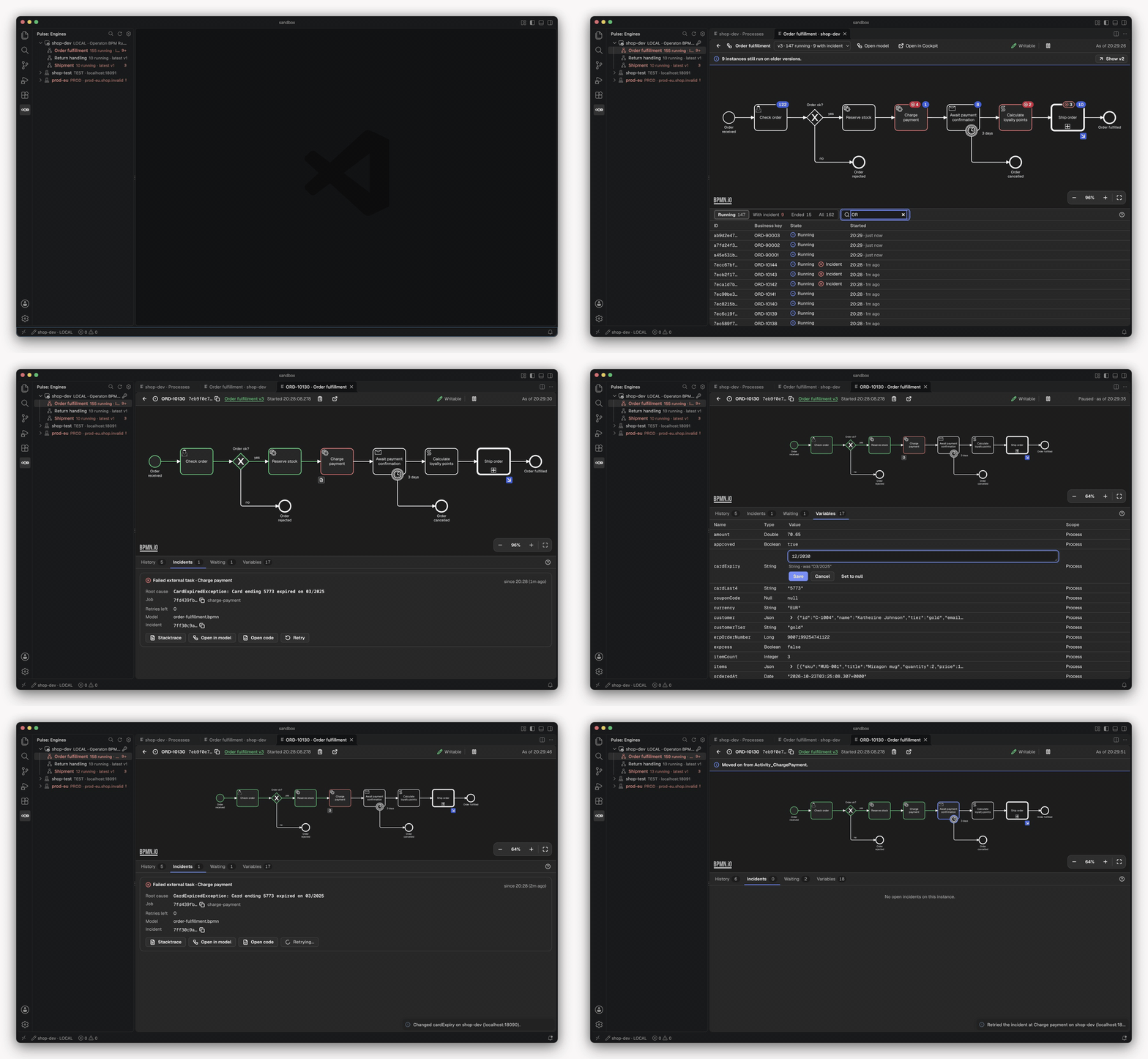
Pulse for VS Code shows what your process engine is running, right next to your BPMN models: definitions, instances, incidents and variables, with badges on the deployed diagram. It works with Operaton, CIB seven and Camunda 7 and reads the same engine profiles as the Pulse CLI.
Why
When an instance gets stuck, you leave the editor: open the engine's web UI, search the instance, read the stack trace, go back to the code and the model. Pulse brings that view to where the models and the code already are.
- The runtime on the model. Running instances and incidents as badges on the deployed diagram, per version.
- The root cause, not the noise. The incident's root cause from the full stack trace, with links from its frames to your sources.
- Model and engine side by side. An open
.bpmnfile tells you whether it matches a deployed version. - Safe on real engines. Writes run on local engines by default, elsewhere only when you allow them, always with a confirmation that names the engine.
| Page | What it covers |
|---|---|
| Installation | Install it, try it on a seeded engine |
| Configuration | Engine profiles, credentials, environments, live updates |
| Usage | The views and panels, model and code, writes and batches |
| Boards | Shared views across engines, kept as JSON in the repo |
| Architecture | Contract, core, adapters and the decisions behind them |