Usage
Engines and processes
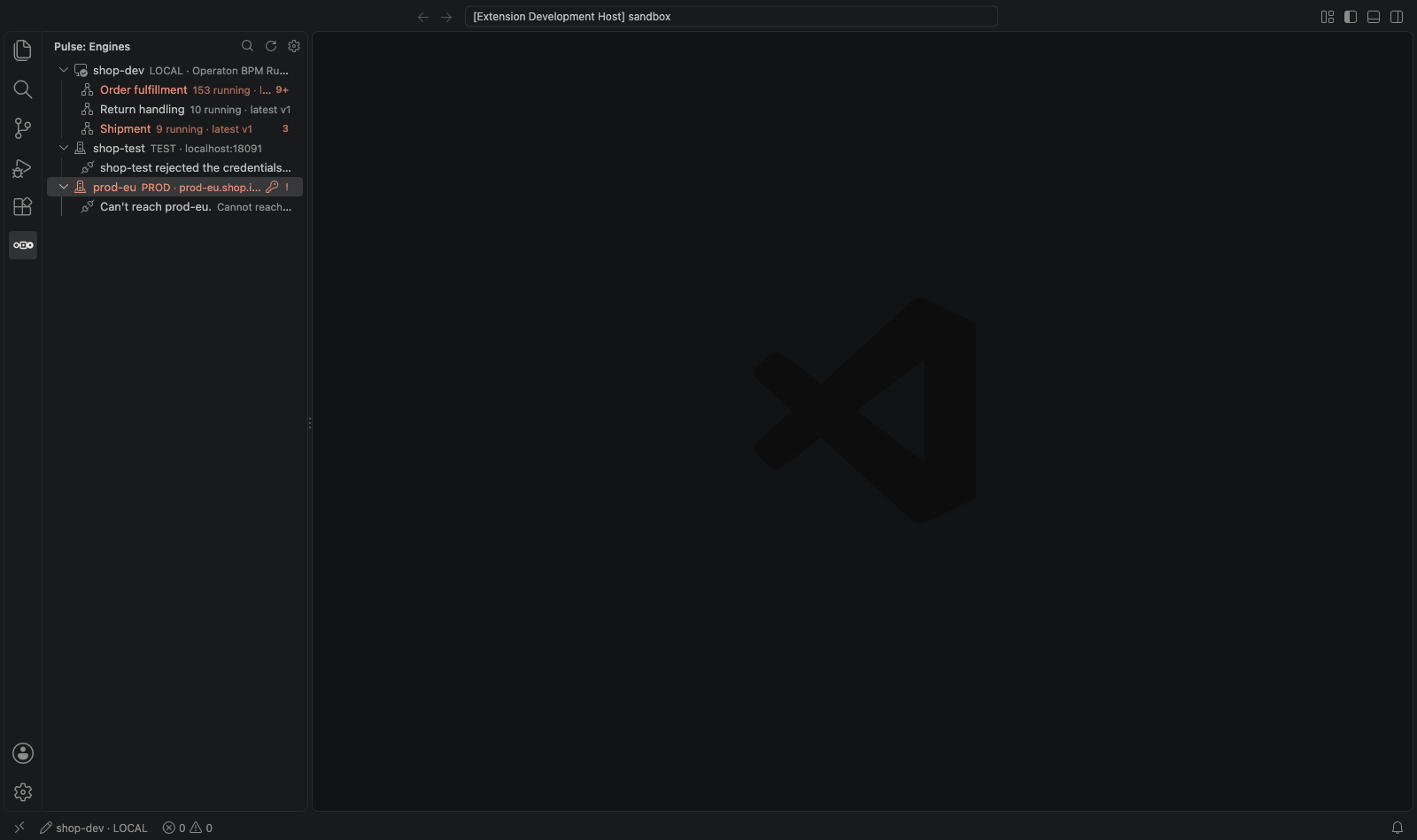
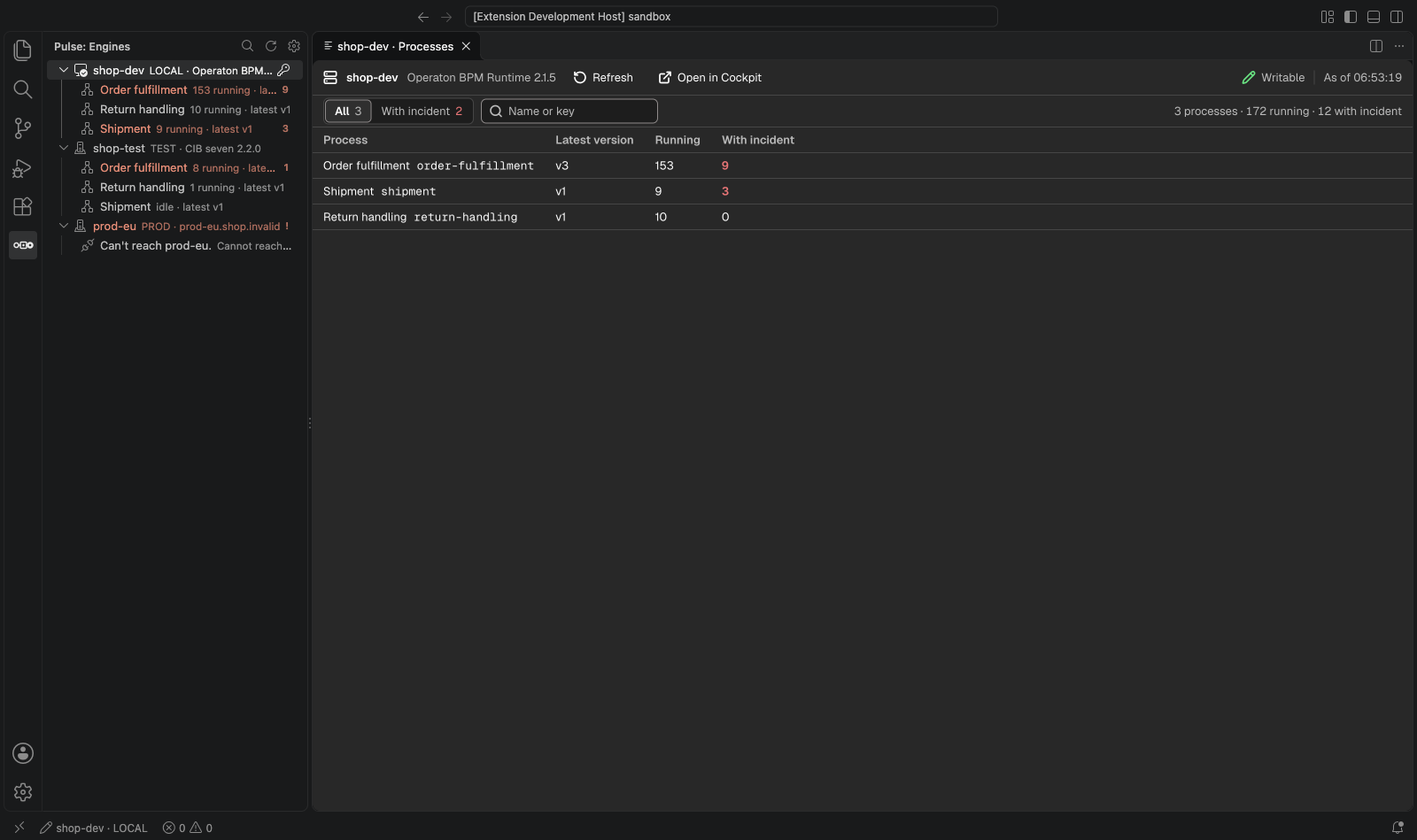
The Engines view lists the profiles of .pulse-cli.json with their deployed processes, running counts and incident markers. A click on an engine opens its overview: every process with its latest version, running and with-incident counts, the ones in trouble first.
A process definition
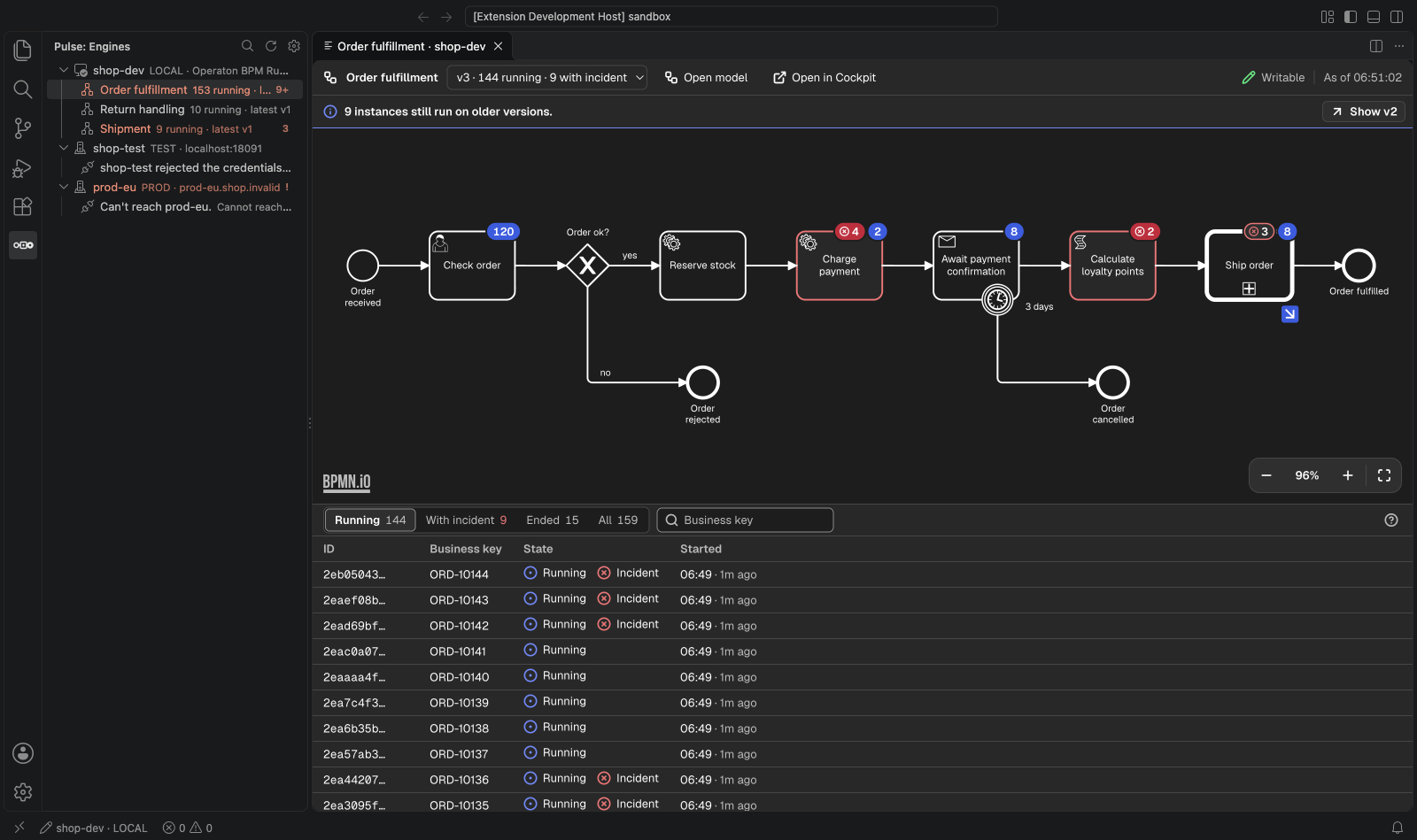
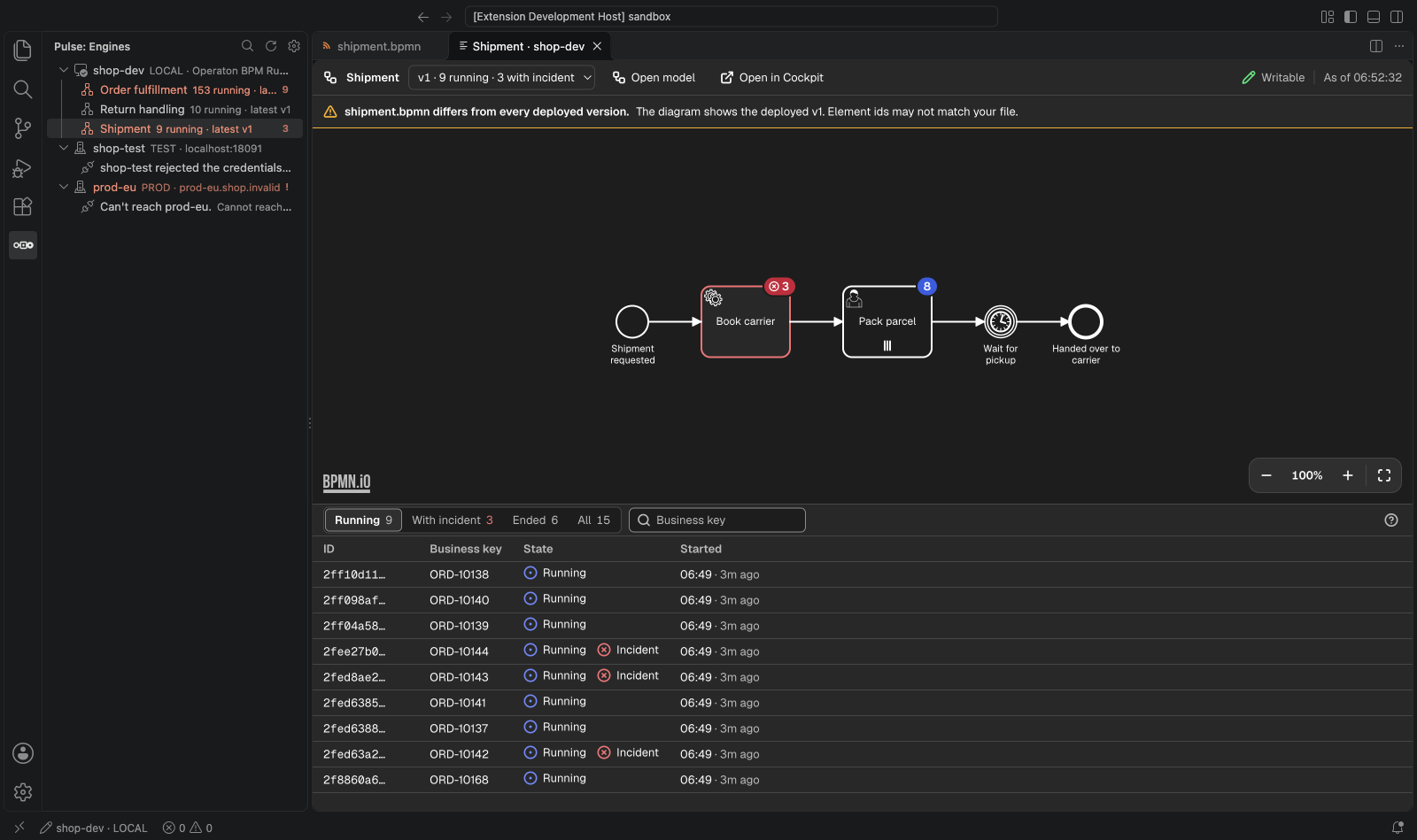
The Definition panel draws the deployed diagram of one version with badges per element, a version picker with counts per version, and the instances (running, with incident, ended), filtered by element or business key.
The funnel button in the filter bar finds instances by their process variables: a name (the dialog suggests the names the newest instances of the version hold, any other name works too), an operator (is, is not, matches, greater or less than) and a value, * as the wildcard of matches. Compare as picks the type: text, number, true or false, date and time (is after, is before) or null. JSON and object variables can't be searched. Each condition becomes a chip, and an instance matches when all of them hold; counts and selections follow. The search reads the engine's history, so CIB seven, Operaton and Camunda 7 need history level audit or higher.
An instance and its incident
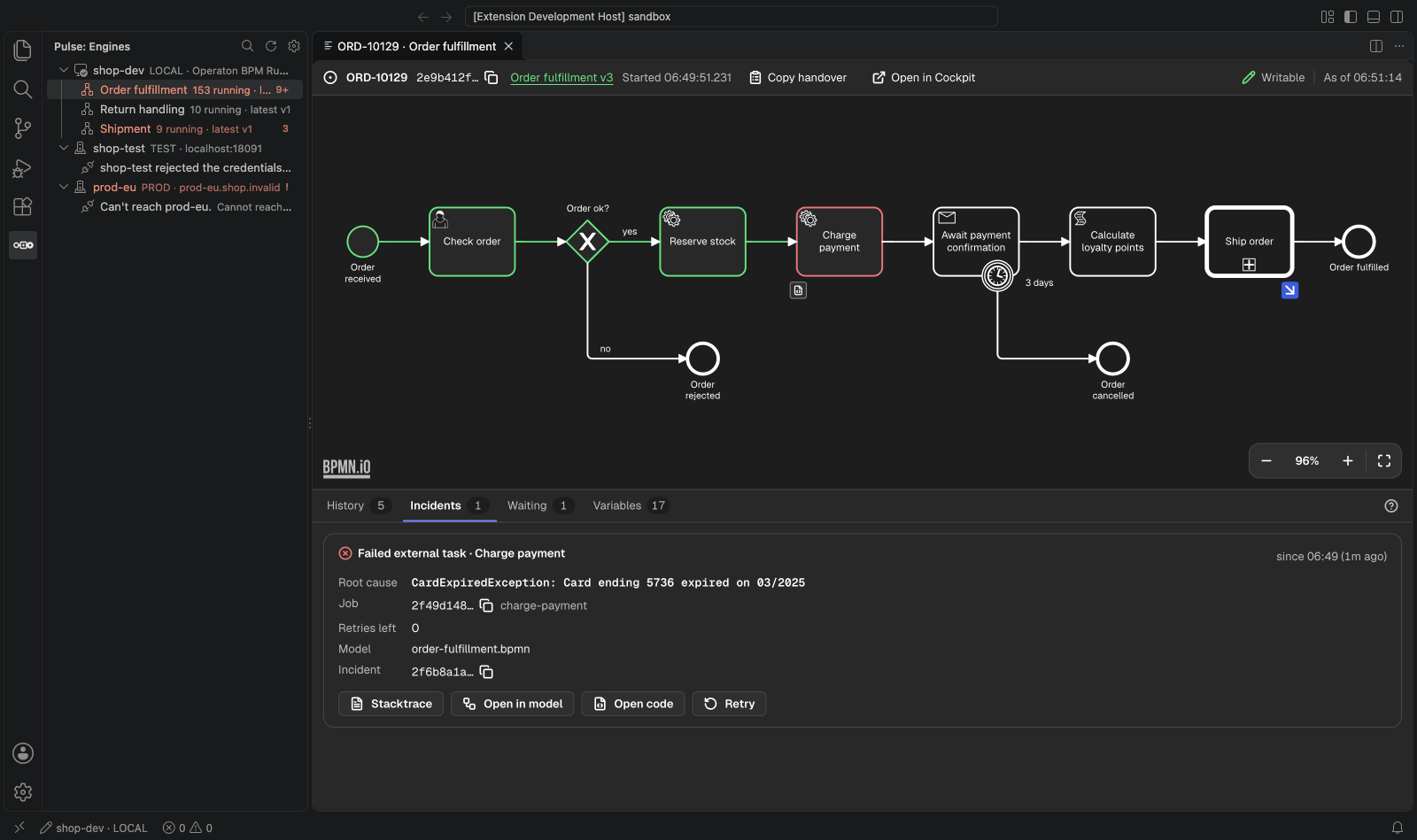
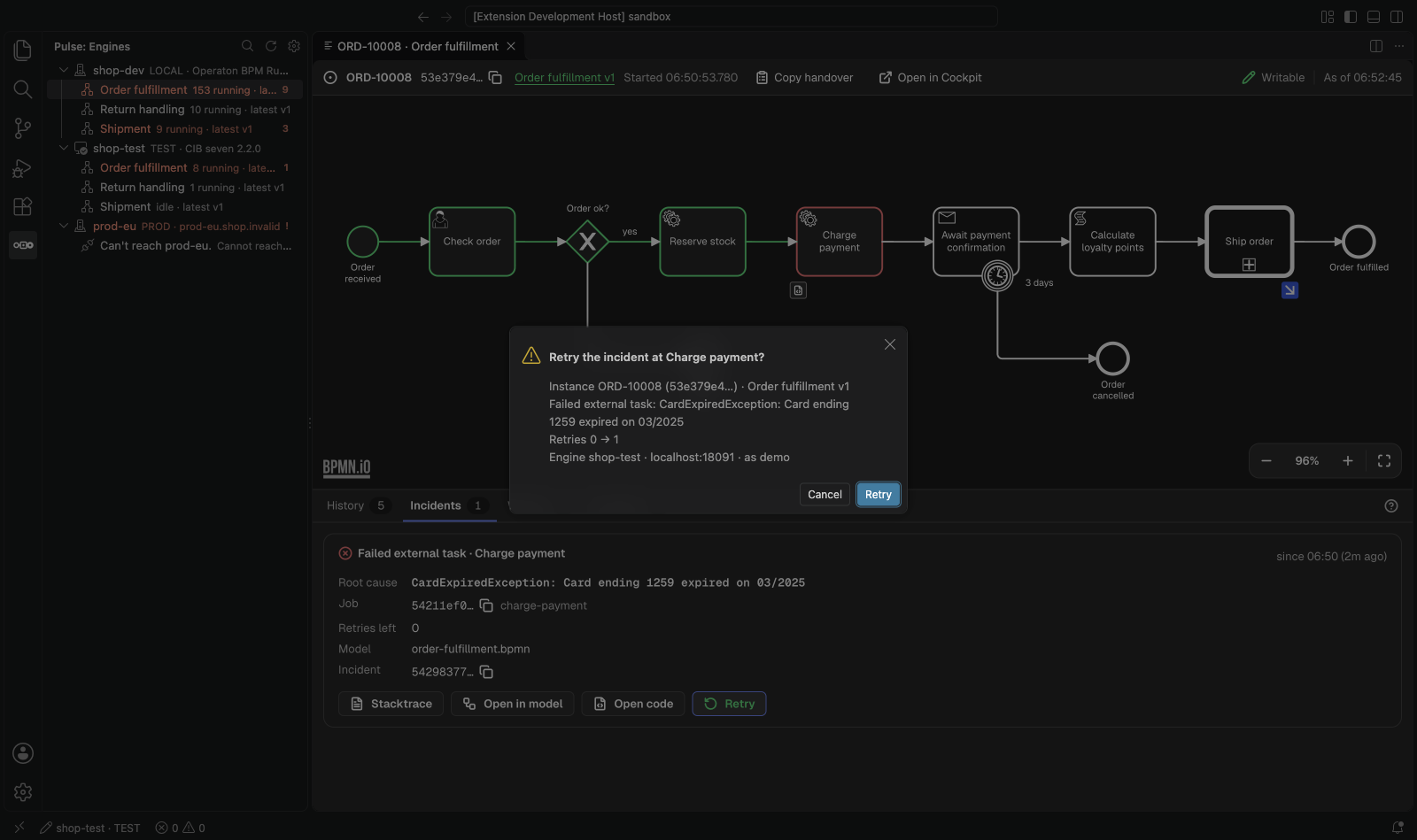
The Instance panel shows where the instance waits, its incidents with the root cause from the full stack trace, incidents inside called instances, its variables, and a Markdown handover to copy. Stack traces open as read-only documents with links from your frames to your sources.
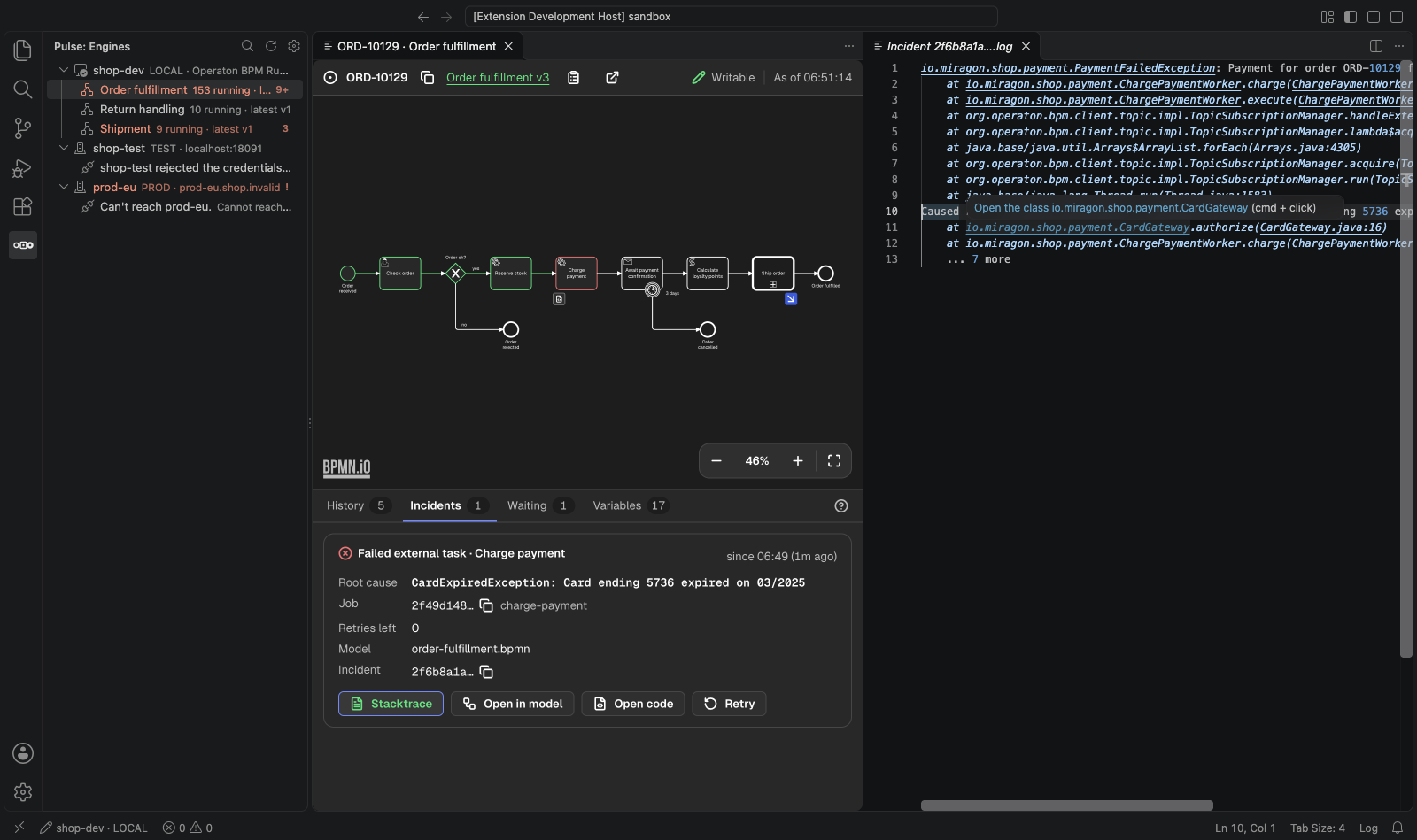
Model and code
From an incident or any element, open the local .bpmn at the element and the worker or delegate that implements it. Show Runtime Data for This Model on a .bpmn file tells you whether the file matches a deployed version. Go to Process Instance… finds one by id or business key.
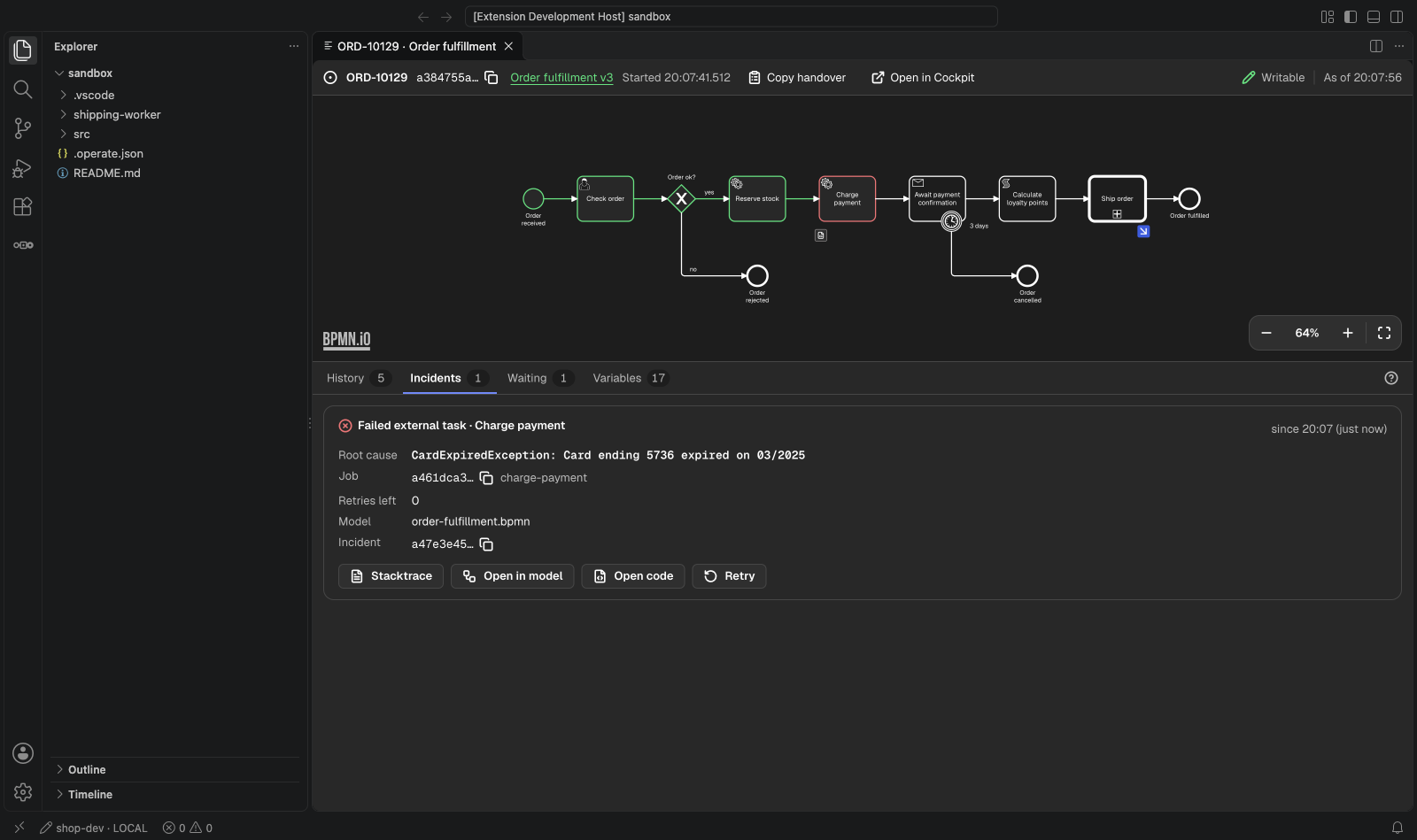
Writes
Retry incidents, change variables and move tokens: on local engines by default, elsewhere only when pulse.writes allows it (Configuration). Every write asks first, names its exact target and leaves an audit line in the output channel "Pulse".
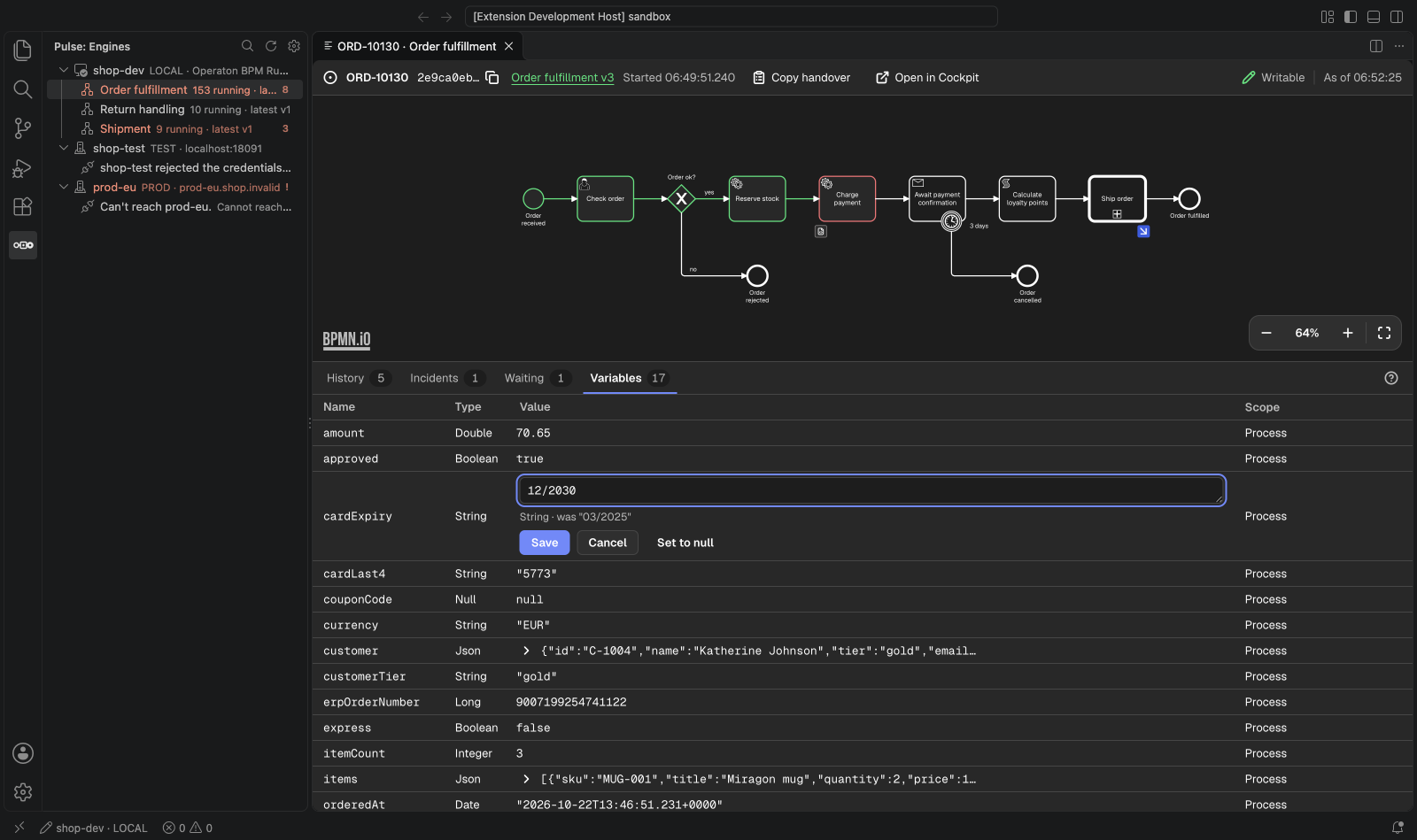
Batches
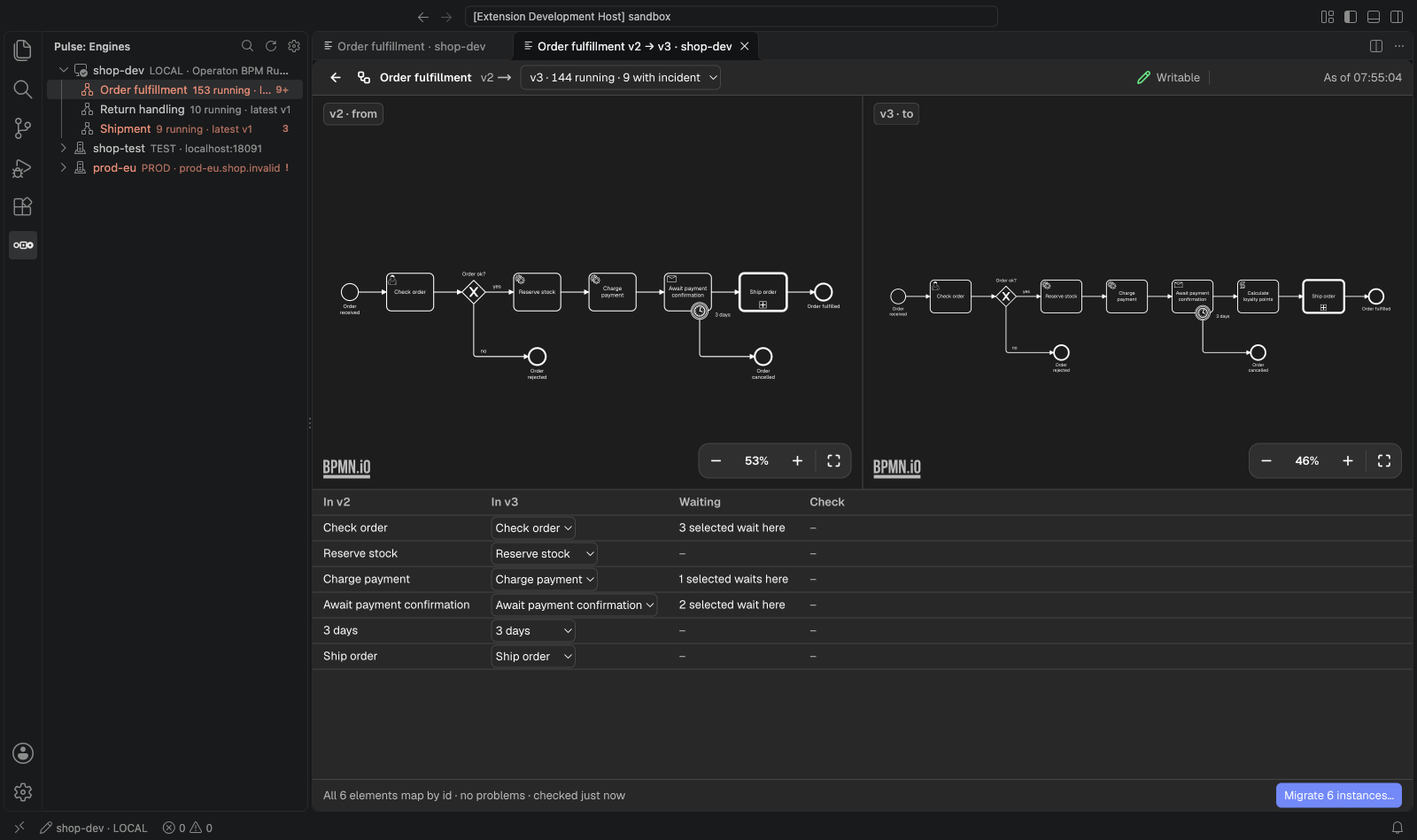
Tick instances in the definition panel to cancel or migrate them as one batch, follow its progress and stop it. A migration shows both versions with the mapping the engine proposes and flags elements where instances would get stuck, before anything runs.
All 39 screenshots, one per use case, are in apps/vscode/docs/screenshots/.